win303 Mobile App
Getting to your account on win303 doesn't require a desktop. Our mobile experience spans Android APK downloads, iOS browser access, and a progressive web app that works across devices. Each path offers the same account security, payment options (DANA, e-wallet, mobile banking, local payment, online payment, e-wallet, and bank transfers), and live-game coverage — whether you're tracking Liga 1 fixtures, live-dealer tables, or slot tournaments from Jakarta, Surabaya, or anywhere else in a supported jurisdiction.

- DownloadAPK
- LoginOTP Verification
- SHA256 Match
Mobile-first design matters because your account on win303 lives in your pocket. Push notifications alert you to tournament schedules, deposit confirmations, and withdrawal status updates. The app caches game data so you can browse available matches and slots even on weak connections. Account recovery, KYC document uploads, and support requests all work the same way on mobile as they do on desktop — no separate login, no separate verification flow.
Our platform supports both Android 7 and above, and iOS 12 and above. Installation takes under two minutes. Once installed, your account syncs across all devices, so a deposit made on your phone appears instantly on your tablet or computer. We handle the technical side; you focus on the games and markets you want to follow.
Getting win303 on Your Device
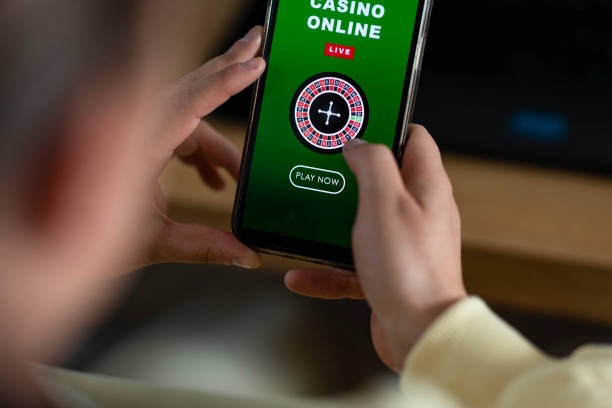
Three Installation Paths
Android users can download the APK directly from our platform or use a browser to access the web app. iOS users open Safari and add win303 to their home screen as a web app — no App Store submission needed. Desktop users can also use the same web app, syncing seamlessly with mobile sessions.
All three paths connect to the same account. Your DANA balance, e-wallet transaction history, and tournament standings remain consistent whether you log in from your phone, tablet, or computer. We do not require separate credentials or re-verification for each device.
-
1
Download the APK or open the web appAndroid / iOS / Web
Android: download the APK file. iOS and web: use your browser to visit win303 and add to home screen.
-
2
Install and openAndroid / iOS / Web
Follow the on-screen prompts. Android may ask for permission to install from unknown sources — this is normal and safe.
-
3
Log in or registerAccount Setup
Use your email and password. New users complete KYC verification (ID upload, address confirmation) before making a deposit.
-
4
Deposit and start playingReady to Go
Choose your payment method (mobile banking, local payment, online payment, e-wallet, or bank transfer). Your balance updates instantly.
App vs. Browser: What win303 Offers
The win303 app and web version share the same games, markets, and account features. The app version stores game data locally, so you can browse available slots and live-dealer tables even if your connection drops temporarily. Push notifications arrive on your phone for tournament starts, deposit confirmations, and withdrawal updates — features the browser version cannot replicate. The app also loads faster on repeat visits because it caches images and game metadata. If you prefer not to install anything, the web app works identically on any modern browser and syncs your account in real time.
Offline browsing and push alerts
The app caches game lists and tournament schedules so you can review options without an active connection. Notifications alert you to account activity even when the app is closed.
Device Compatibility
Our platform supports Android 7.0 and above, and iOS 12.0 and above. Most phones and tablets released in the last five years meet these requirements. If you are unsure whether your device qualifies, contact our support team — we can confirm compatibility based on your device model and operating system version. Our multilingual support team is available during business hours to help with installation questions or account access issues.
Common Installation Issues
Android users may see a warning about installing from unknown sources. This is a standard security prompt; it does not indicate a problem with the APK. To proceed, go to your device settings, find the security or apps section, and enable installation from unknown sources for the duration of the download. Once installed, you can disable this setting again. If you encounter certificate or SSL errors, clear your browser cache and try again. iOS users adding the app to their home screen may need to refresh the page if it does not appear immediately — this is normal and resolves within seconds. If installation fails after multiple attempts, our support team can provide alternative download links or guide you through the web-app setup instead.

Data, Permissions, and Account Security
The win303 app requests permission to send notifications and access your device storage for caching game data. We do not access your contacts, camera, or location. Your account credentials are encrypted in transit and at rest. Two-factor authentication is available in your account settings — we recommend enabling it for added security. When you log out, your session ends immediately on all devices. If you suspect unauthorized access, contact our support team right away; we can reset your password and review your account activity.
Your payment information is never stored on your device. Each transaction is processed through our secure payment gateway, which handles DANA, e-wallet, mobile banking, local payment, online payment, e-wallet, and bank-transfer requests. We comply with standard data-protection practices and do not share your personal information with third parties outside the payment and verification process.
Getting Started on win303
Once your app is installed and your account is verified, you can explore live-football markets (Liga 1, Piala AFF, Champions League), live-dealer tables (blackjack, roulette, baccarat, Dragon Tiger), and slot tournaments. Our platform is available only in jurisdictions where local law permits online gaming and sports wagering. Users are responsible for verifying that access and use comply with their own jurisdiction's law. If you have questions about whether win303 is available in your region, our support team can provide guidance based on your location.
Your account on win303 syncs across all devices, so you never lose your place in a tournament or miss a live-game update.
Deposits are processed instantly through your chosen payment method. Withdrawals are subject to standard verification windows and account-status checks. If a withdrawal is delayed, our support team can review your request and explain the status. We handle account recovery, KYC document re-submission, and payment troubleshooting during business hours in multiple languages. Response times vary depending on support volume, but we aim to address all inquiries within a standard service window. Your account on win303 is yours to manage — you can update your payment methods, review your transaction history, and adjust your notification preferences at any time through the app or web version.